 Store Leads
MCP Server
Contents
Overview
The Store Leads MCP server allows AI assistants to access Store Leads data directly through the Model Context Protocol (MCP). Once connected, you can ask your AI assistant questions about e-commerce stores and it will query Store Leads data to provide answers.
The MCP server is only available to customers with API access which requires the Pro plan or higher. Claude Desktop and ChatGPT Desktop authenticate through your browser. Other clients may require a Store Leads API key, which you can find on your Account page.
Setup
The Store Leads MCP server is a remote server hosted at https://storeleads.app/mcp. Simply configure your AI client to connect and authenticate.
Claude Code (CLI)
Run the following command in your terminal, replacing YOUR_API_KEY with your Store Leads API key:
claude mcp add -t http storeleads https://storeleads.app/mcp -H "Authorization: Bearer YOUR_API_KEY"
You can verify the server was added by running claude mcp list.
For more details, see the Claude Code MCP documentation.
Claude Desktop
-
Open Settings in the Claude Desktop app.
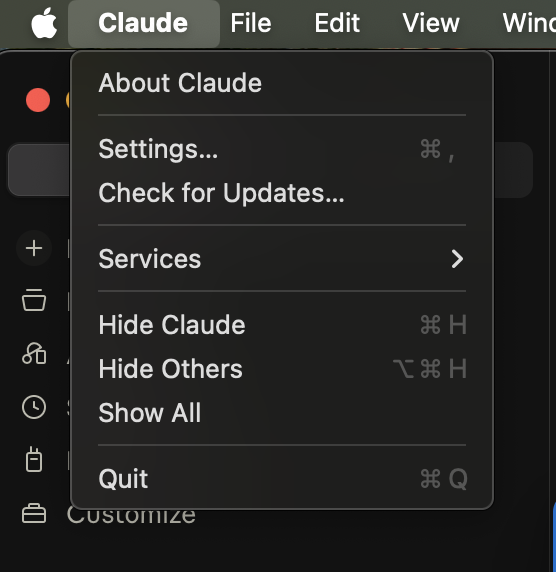 Open Settings in Claude Desktop.
 -
Select Connectors from the left menu.
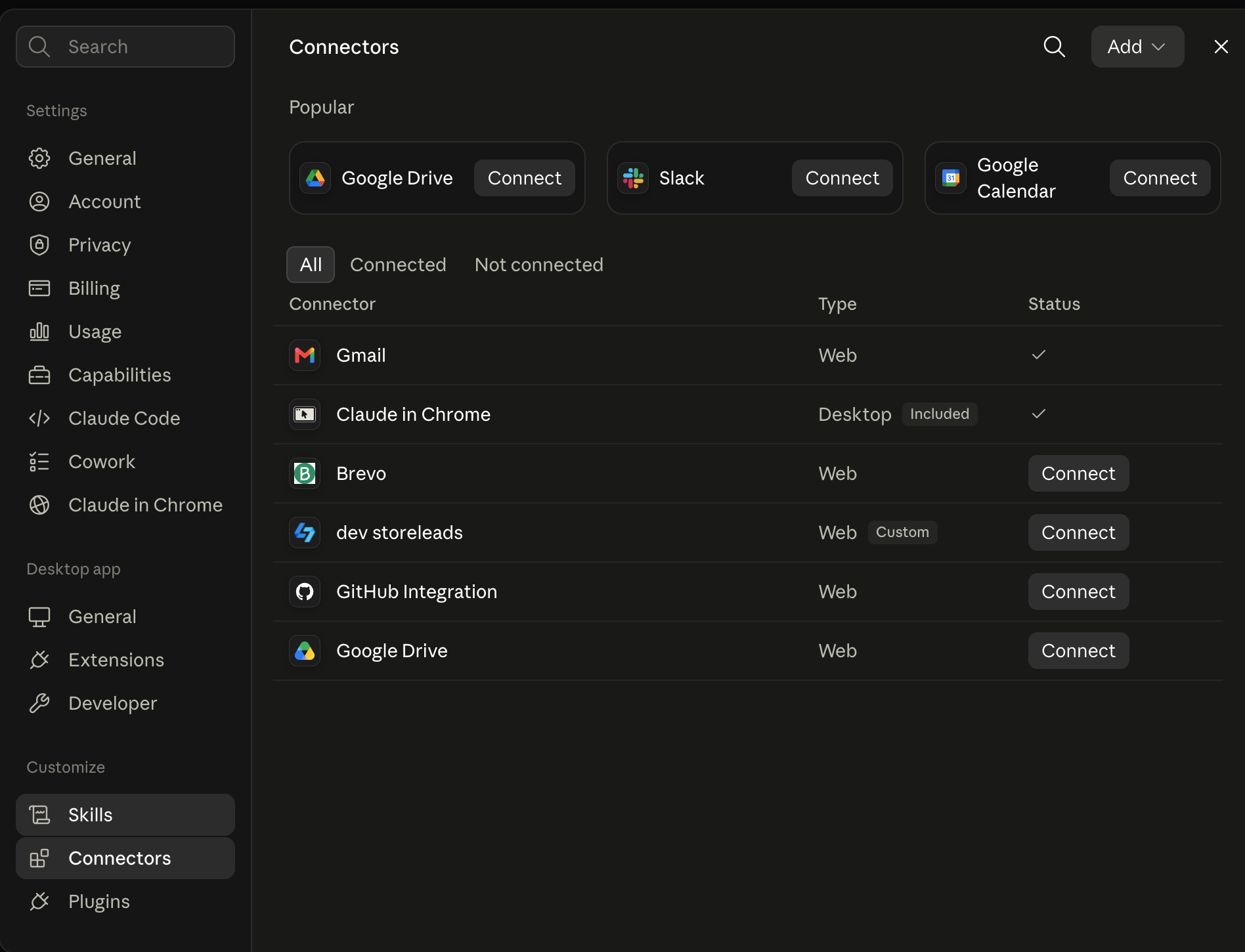 Select Connectors from the left menu.
 -
In the top-right corner, select Add, then Add custom connector.
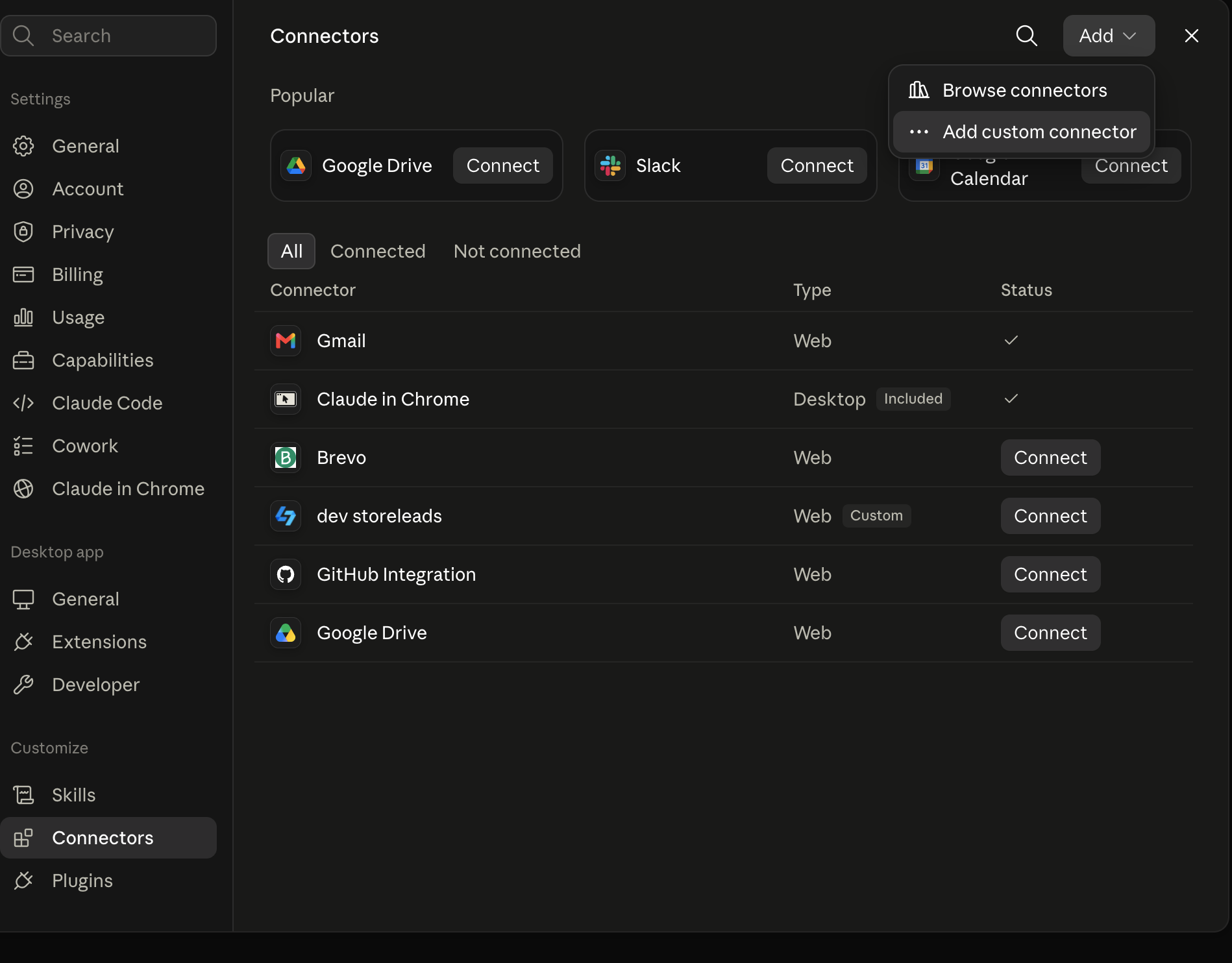 Select Add custom connector.
 -
Enter Store Leads for the name and
https://storeleads.app/mcpfor the remote MCP URL.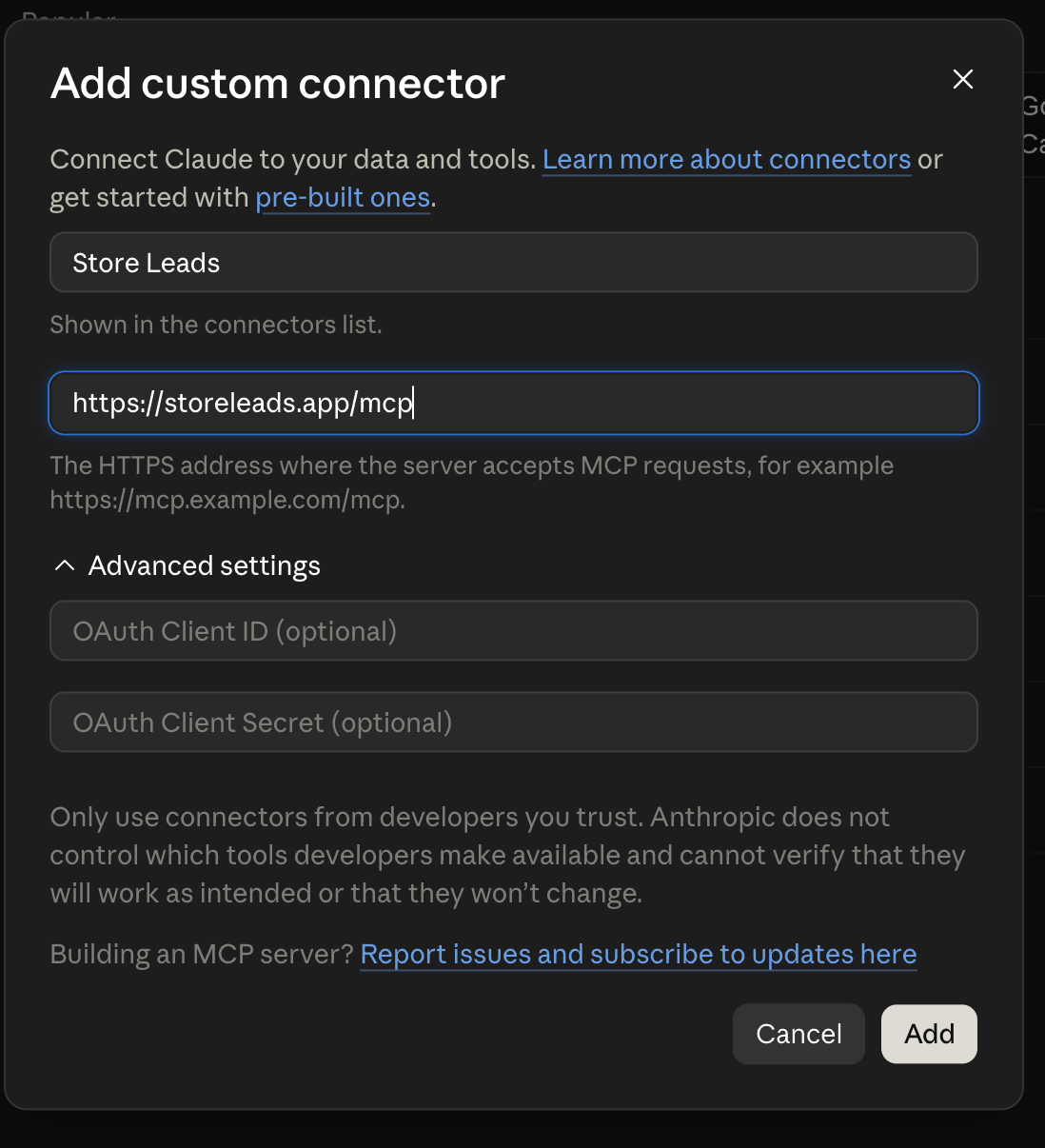 Enter the Store Leads connector details.
 -
Select Connect, then follow the sign-in and approval steps in the browser window that opens.
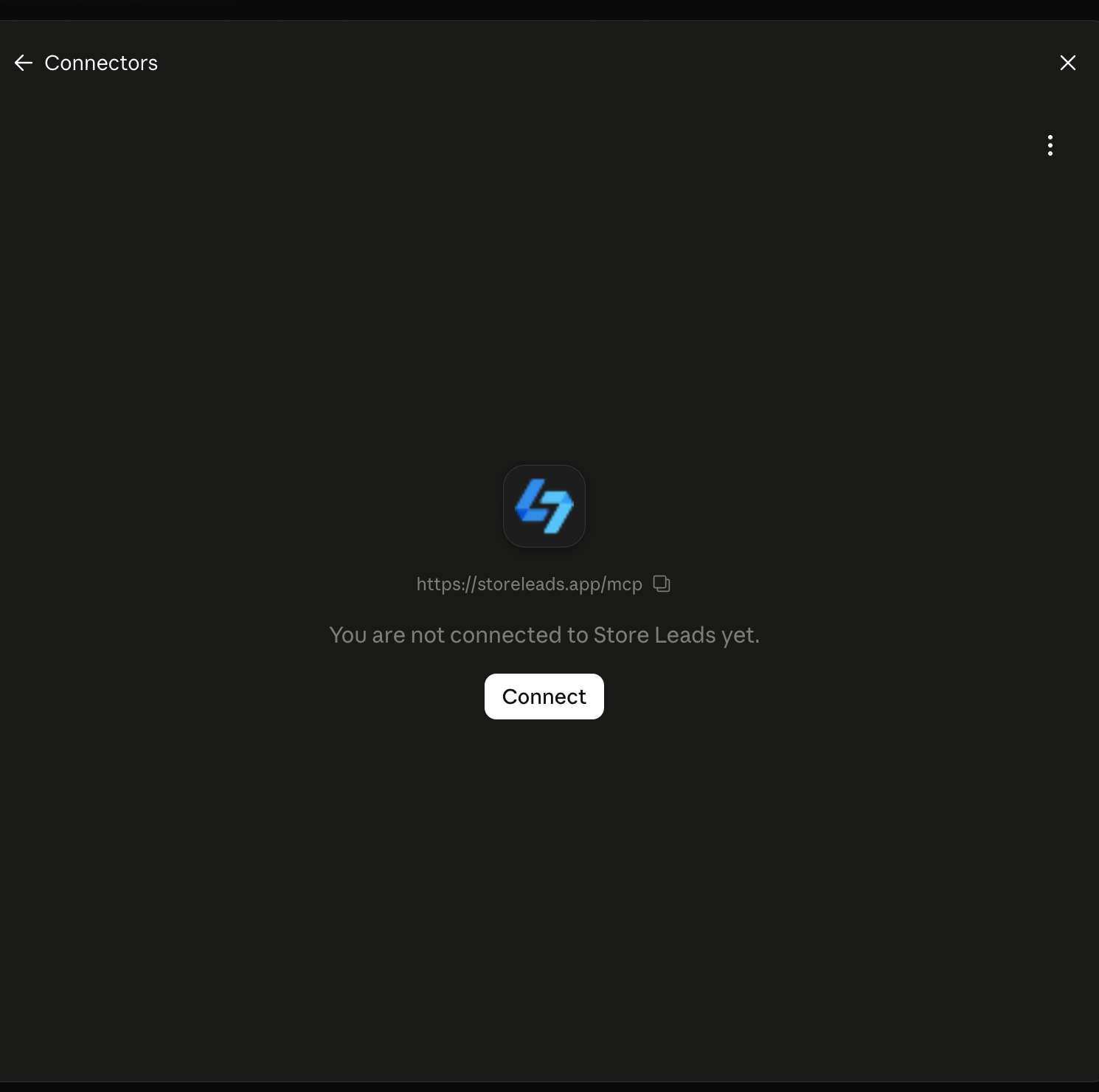 Connect and authenticate with Store Leads.
ChatGPT Desktop
In the ChatGPT Desktop app, open Settings, then select Plugins. Open the Add menu and select Add MCP server.
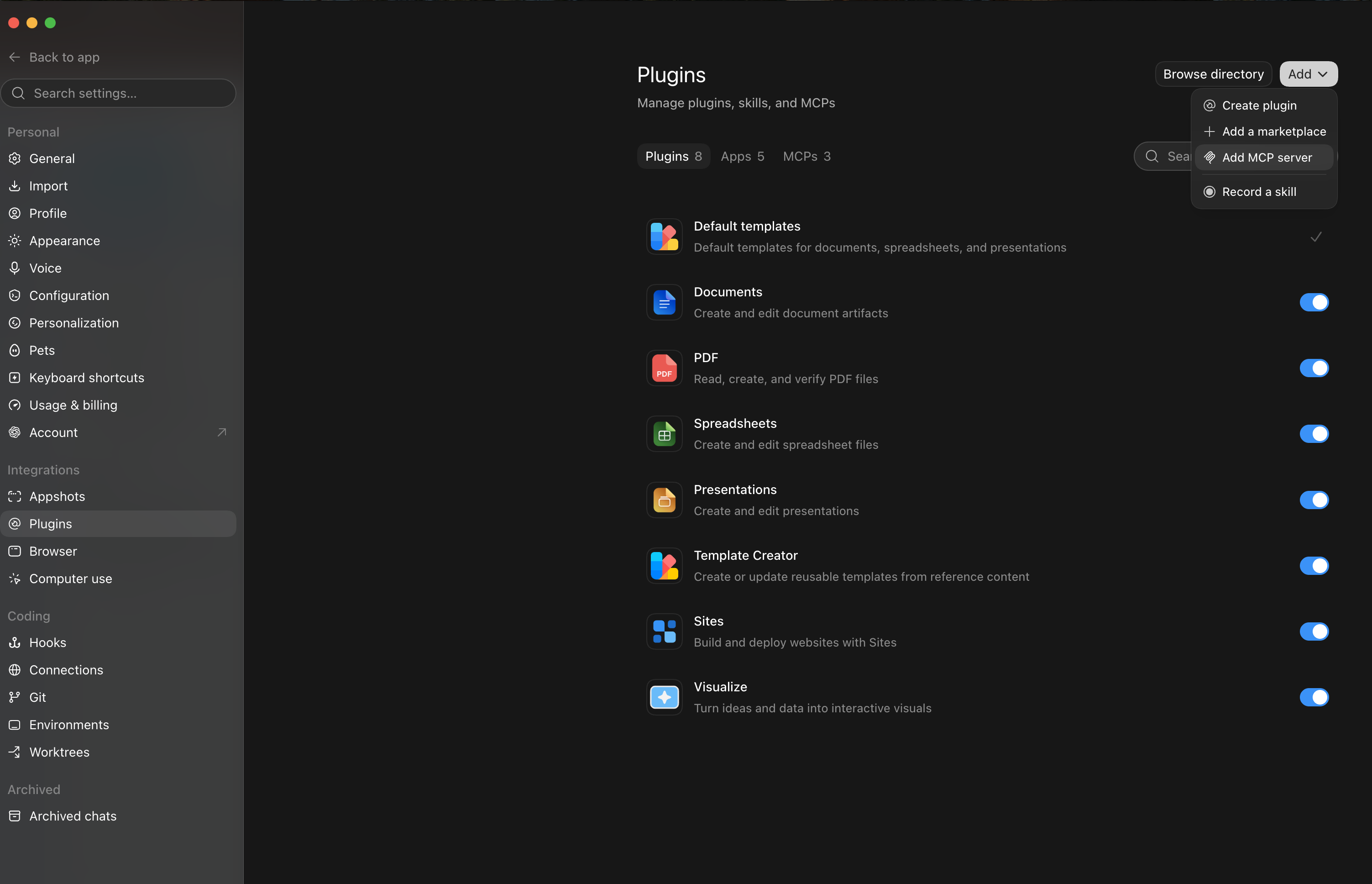
-
Select MCP, then choose Streamable HTTP.
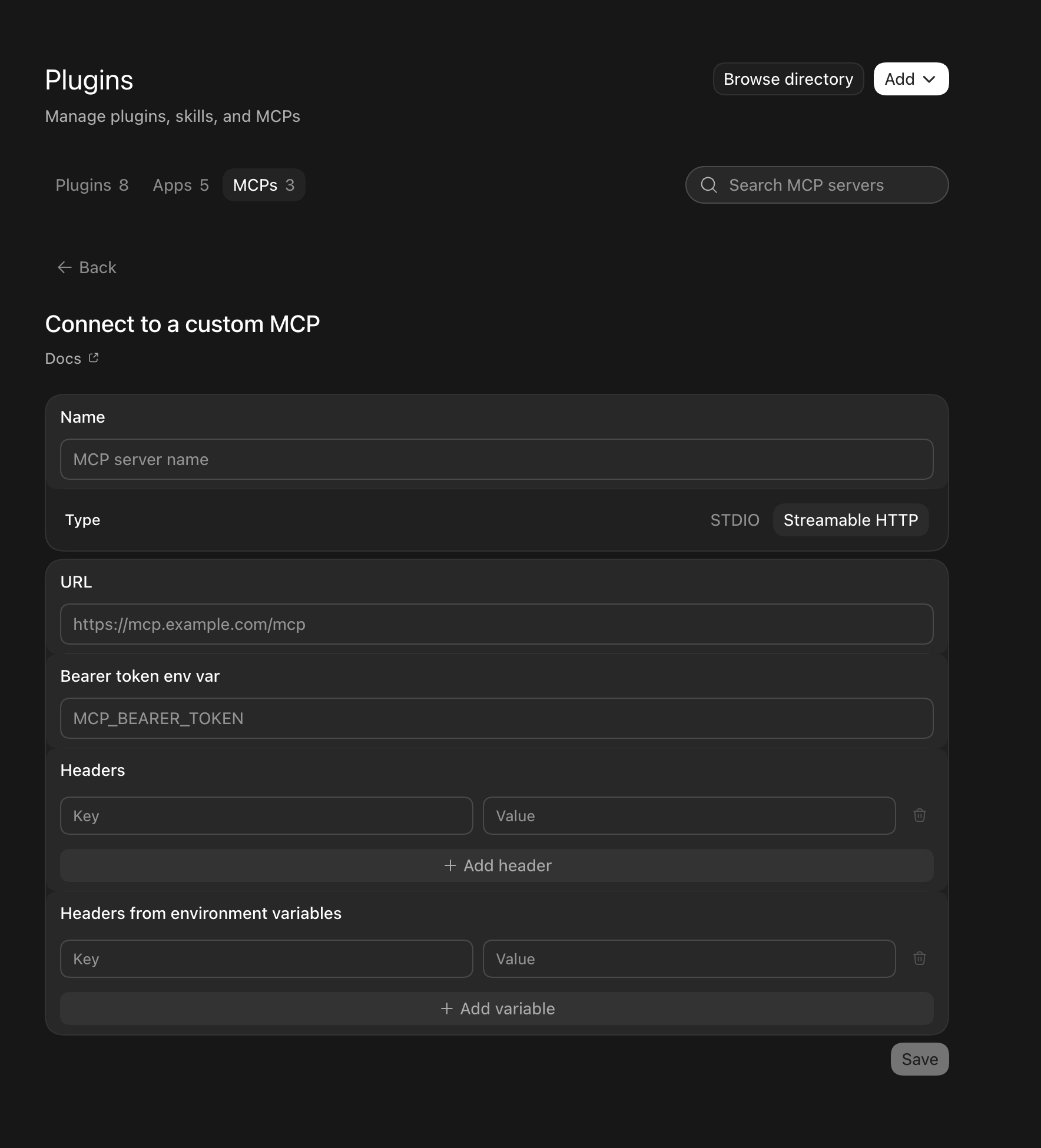 Choose Streamable HTTP in the custom MCP form.
 -
Enter Store Leads for the name and
https://storeleads.app/mcpfor the server URL.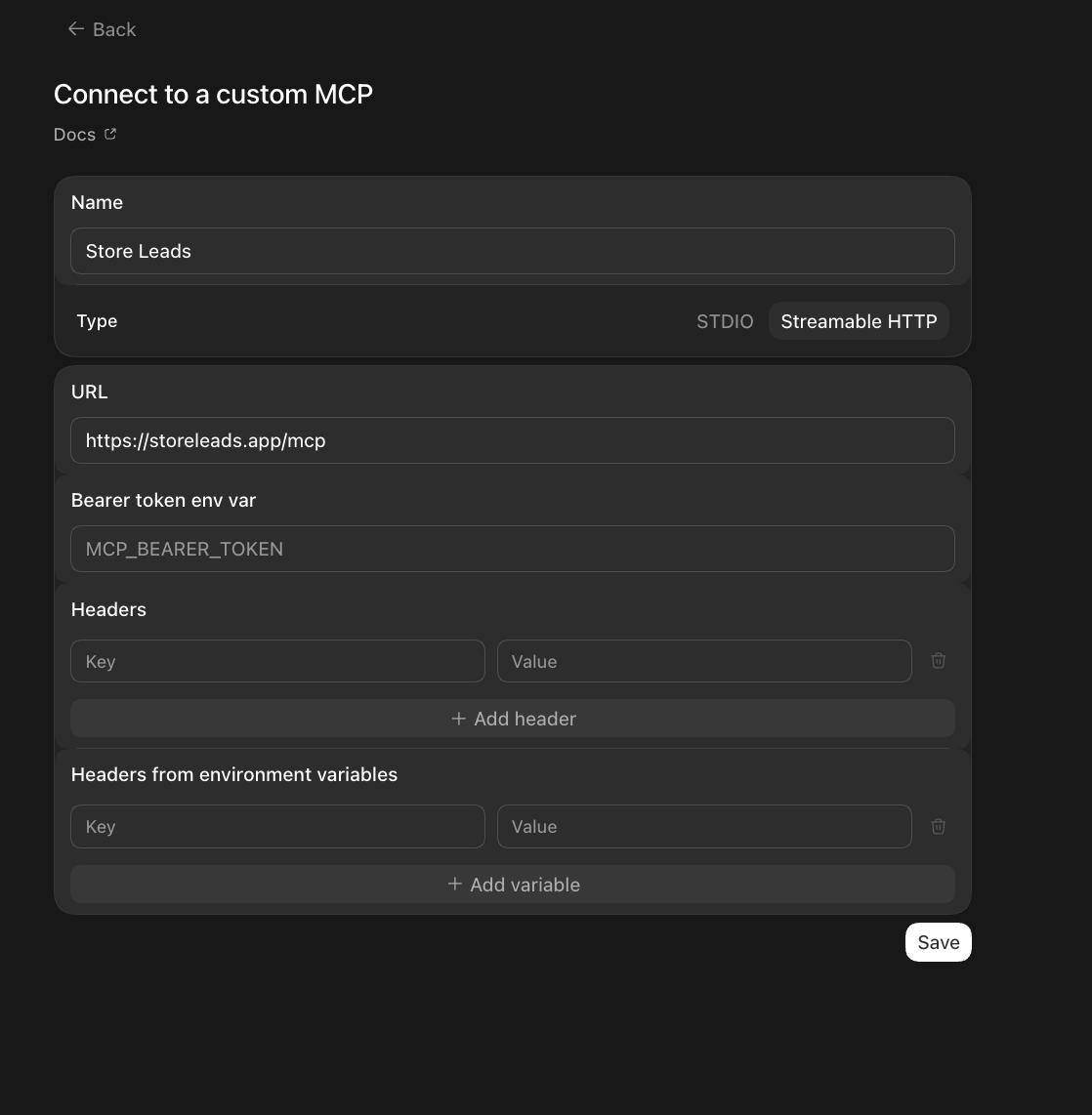 Enter the Store Leads MCP server details.
 - Select Save.
-
Select Authenticate, then follow the sign-in and approval steps in the browser window that opens.
 Authenticate the Store Leads MCP server.
Cursor
In Cursor, open Settings and navigate to the MCP section. Add a new server with the following configuration. For step-by-step instructions, see the Cursor MCP documentation.
{
  "mcpServers": {
    "storeleads": {
      "type": "streamable-http",
      "url": "https://storeleads.app/mcp",
      "headers": {
        "Authorization": "Bearer YOUR_API_KEY"
      }
    }
  }
}
Available Tools
The MCP server provides the following tools that AI assistants can use to query Store Leads data:
Example Prompts
Once connected, you can ask your AI assistant questions like:
- "Find the top 10 Shopify Plus stores in the US by estimated revenue"
- "What apps does fashionnova.com use?"
- "Search for stores that use Klaviyo and have more than 1000 products"
- "What platform is allbirds.com using?"
- "Show me the most popular Shopify apps in the email marketing category"
- "Compare the technology stacks of gymshark.com and fashionnova.com"
- "Find Shopify stores in the apparel category that were created in the last 6 months"
Privacy & Security
All MCP requests use HTTPS. Your API key is passed as a Bearer token and is required on every request. The MCP server is read-only — it can search and retrieve data but cannot modify anything in your account. See our Privacy Policy for details on how we handle data.
Support
Need help setting up or using the MCP server? Contact support and we'll be happy to help. For more details about the underlying API, see the API Reference.